
12 Key Features for a 3D Product Configurator
A 3D product configurator is only as good as the features it actually delivers for your catalog, your production model, and your customers. With dozens of platforms on the market — each claiming photorealistic quality and seamless integration — the difference between a configurator that transforms your business and one that adds complexity without value comes down to a specific set of capabilities.
This guide covers 12 essential features to evaluate when choosing a 3D configurator for fashion, accessories, jewelry, or furniture e-commerce. For each feature, we explain what it is, why it matters, and what to look for — with practical signals to distinguish genuine capability from marketing language.
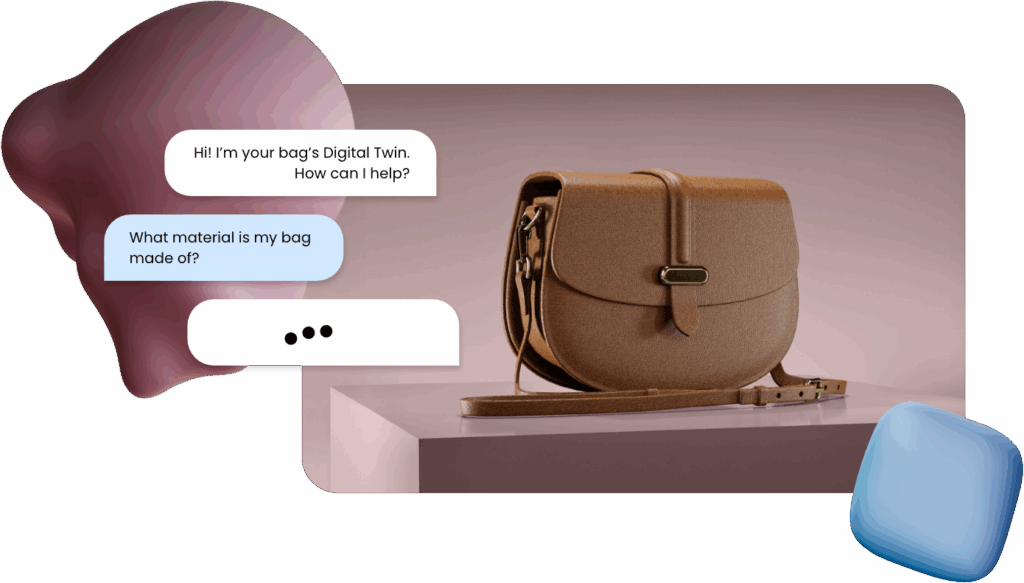
The 12 features covered in this guide
- Photorealistic Real-Time Rendering
- Production Constraints Engine
- Modular & Multi-Component Configuration
- Virtual Try-On Integration
- Mobile-First Performance
- ERP, CAD & PLM Integration
- Augmented Reality (AR) Support
- Automatic Technical File Generation
- Digital Twin of the Customer
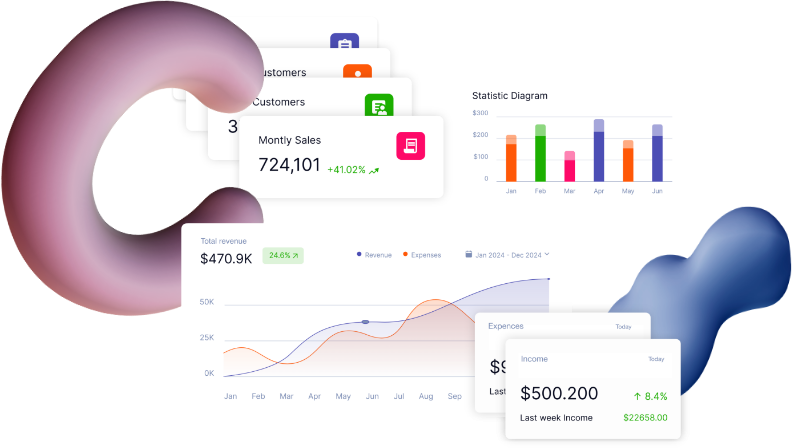
- Business Intelligence & Analytics
- Omnichannel Deployment
- Made-to-Order Production Integration
Must-have — non-negotiable for production use | Should-have — important for scale | Nice-to-have — valuable differentiator
Photorealistic Real-Time Rendering 🔴 Must-have
All categories — Fashion · Accessories · Furniture · JewelryPhotorealistic rendering is the foundation of an effective 3D configurator. It is the capability that determines whether a customer trusts what they see enough to make a purchase decision. "Real-time" means every change the customer makes — selecting a different fabric, switching a metal finish, changing a color — is reflected instantly in the visual without a loading delay.
For fashion and accessories, rendering must capture material grain, light reflection, fabric drape, and surface texture. For furniture, it must convey material depth, dimensional accuracy, and finish realism. For jewelry, it must simulate gem brilliance and metallic reflections. A configurator that cannot render these qualities at a premium level will undermine rather than support high-value products.
What to test
- Load a complex configuration with multiple material changes — does it update in under 2 seconds?
- Zoom in on a leather or fabric material — can you see grain and texture, or does it look flat?
- Test on mobile — does rendering quality degrade significantly on a smartphone screen?
- Compare the rendered output to a physical product photo — are they visually close?
Red flags
- Visible loading spinner between every material change
- Flat, plastic-looking surfaces on textured materials
- Significant quality drop on mobile vs desktop
- Renders that look nothing like the physical product
- "Photorealistic" claims without live demo available
Production Constraints Engine 🔴 Must-have
Operations-critical — Fashion · Accessories · Jewelry · FurnitureA production constraints engine is the rules system that prevents customers from selecting combinations that cannot actually be manufactured. Without it, a configurator is a liability: customers order configurations that go into production, trigger errors, require manual correction, and generate costly remakes.
In fashion, this means preventing incompatible material pairings (a fabric that cannot be sewn to a leather type), unavailable color combinations, or dimensions outside production tolerances. In furniture, it prevents module combinations that structurally don't work or sizes outside available manufacturing ranges. In jewelry, it prevents stone/setting combinations that are technically impossible.
The constraints engine is invisible to the customer — they simply never see combinations that don't work. But it is the single most operationally important feature for any brand with a complex catalog, because it eliminates the class of errors that cause the most damage downstream.
Modular & Multi-Component Configuration 🔴 Must-have
Critical for Furniture · Relevant for AccessoriesMany complex products are not single objects — they are systems. A modular sofa has independent components: seats, armrests, ottomans, corner units. A kitchen system has cabinets, worktops, handles, and appliances. A bag has body, strap, hardware, lining, and closures. A configurator that cannot manage multi-component products forces brands to simplify their catalog to fit the tool — the wrong way around.
True modular configuration means each component can be configured independently, constraints between components are enforced, and the final product renders correctly as an assembled whole. For furniture, this also means supporting dimensional scaling — where a sofa's dimensions can be adjusted without creating a separate 3D model for every size.
What it enables
- Independent configuration of each product component
- Constraint enforcement between components (handle material must match hardware finish)
- Dimensional scaling without separate models per size
- Modular layouts: L-shape, U-shape, straight-line configurations
- Room planner integration for furniture spatial context
What to test
- Can you configure each component independently?
- Does changing one component automatically adjust compatible options for others?
- Can you resize a furniture piece dynamically without switching 3D models?
- How many simultaneous components can the configurator handle without performance issues?
Virtual Try-On (VTO) Integration 🔴 Must-have
Fashion · Accessories · Eyewear · JewelryFor wearable products, a 3D configurator without Virtual Try-On answers only half the question. Customers can see what the product looks like in isolation — but the question that drives purchase decisions in fashion and accessories is: "How will it look on me?" VTO bridges this gap by rendering the configured product on the customer's own image, avatar, or body scan.
The quality bar for VTO in premium categories is high: it must simulate fabric drape on the body, gem brilliance on the hand, frame proportions on the face. Generic VTO tools that simply overlay a product image fail in these contexts. The integration between configurator and VTO must be seamless — any change in configuration must be reflected instantly in the try-on view.
Mobile-First Performance 🔴 Must-have
All categories — non-negotiable in 2026Over 60% of e-commerce traffic now originates from mobile devices. A 3D configurator that performs well on desktop but degrades on mobile is not a production-grade solution — it is a desktop demo. Mobile-first performance means the full configuration experience — rendering quality, interaction speed, AR, and checkout — works on a smartphone browser without an app download.
This is technically demanding: WebGL rendering, complex configuration logic, and photorealistic assets must all be optimized for mobile GPU and network constraints. Many platforms claim mobile support while delivering a degraded experience. The only way to evaluate this is to test it yourself on a mid-range Android device, not just a high-end iPhone.
How to test mobile performance
- Open the configurator on a mid-range Android (not a flagship device)
- Test on 4G, not Wi-Fi — simulate real mobile conditions
- Make 5–10 consecutive material changes — measure perceived response time
- Trigger the AR feature — does it work in the browser or require an app?
- Complete a full configuration and proceed to checkout — any broken steps?
Red flags on mobile
- Renders that look pixelated or low-quality on mobile screens
- Configuration options that don't fit on mobile viewport without scrolling awkwardly
- AR that requires an app download
- Noticeable lag between option selection and visual update
- "Desktop recommended" in the vendor documentation
ERP, CAD & PLM Integration 🔴 Must-have
Operations-critical — any brand with complex productionA configurator that cannot connect to your production systems is a front-end visualization tool — not a business transformation tool. ERP, CAD, and PLM integration means the customer's configuration flows directly into your operational systems without manual re-entry. This is what eliminates the translation errors, remake costs, and processing delays that make manual personalization unscalable.
The depth of integration matters: a webhook that sends a configuration summary email is not the same as a native ERP connector that creates a production order, generates a BOM, and triggers a workflow automatically. Evaluate the integration depth, not just the existence of integrations.
Augmented Reality (AR) Support 🟡 Should-have
High impact for Furniture · Valuable for AccessoriesAugmented reality allows customers to place a configured product in their real environment — seeing how a sofa fits in their living room, how a lamp sits on their desk, how a bag looks on their shoulder. For furniture, AR is close to a must-have: spatial context and proportion are decisive purchase criteria that flat images and even 3D viewers cannot fully address.
For fashion and accessories, AR complements Virtual Try-On by enabling spatial placement (seeing a product in a physical setting rather than against a neutral background). The key quality criterion for AR is how accurately it renders the configured product — an AR view that shows a lower-quality version of the configurator output undermines trust rather than building it.
Automatic Technical File Generation 🟡 Should-have
Operations-critical for Made-to-Order brandsWhen a customer completes a configuration, the information needed to produce that item must reach production in a format that production can actually use. Automatic technical file generation means the configurator produces bills of materials, technical specification sheets, CAD files, or production-ready data automatically — without a designer or operations person manually translating the customer's choices.
This is the feature that determines whether a 3D configurator reduces operational complexity or just moves it downstream. Without it, someone on your team still has to convert "customer chose burgundy leather with gold hardware" into a production spec. With it, that conversion happens automatically at the moment the order is placed.
Digital Twin of the Customer 🟡 Should-have
Fashion · Accessories · JewelryA Digital Twin of the Customer is a persistent profile that stores a customer's measurements, body scan, style preferences, and configuration history. Rather than starting from zero every session, the configurator uses this profile to pre-populate relevant options, suggest compatible choices, and render products accurately on the customer's specific body or face.
In practice, this means a returning customer doesn't re-enter their size data, doesn't reconfigure their preferred base options, and sees VTO results that accurately reflect their own proportions rather than a generic avatar. For brands offering multiple personalized products, the Digital Twin is the foundation of a genuinely personalized relationship — not just a personalized transaction.
Business Intelligence & Configuration Analytics 🟡 Should-have
All categories — valuable for any brand with complex catalogsEvery customer who uses your configurator is telling you something: which materials they prefer, which combinations they abandon, which configurations they complete, and which variants drive the highest order values. A configurator with built-in BI turns this behavioral data into actionable intelligence for product development, assortment decisions, and pricing strategy.
Without analytics, the configurator is a transaction tool. With analytics, it becomes a market research engine: you can see which combination of options is most requested but not yet in your standard catalog, which material drives the highest AOV, and which configuration steps cause the most drop-off — and act on each insight directly.
Omnichannel Deployment 🟡 Should-have
All categories — critical for brands with physical retailFor brands with both online and physical retail presence, the configurator must work consistently across all touchpoints: the e-commerce website, the mobile app, an in-store tablet or screen, and potentially a sales assistant's device during a boutique appointment. Omnichannel deployment means the same configuration experience — same rendering quality, same options, same logic — is available everywhere.
This is particularly important in luxury and premium categories, where customers often begin their configuration journey online and complete it in a boutique. If the in-store version of the configurator is a degraded or different experience, it breaks the continuity that makes the customer journey feel coherent.
Deployment contexts to cover
- E-commerce website (desktop and mobile browser)
- In-store tablet for sales assistant-guided configuration
- Large-format in-store screen for showcase display
- Embedded in email or social commerce contexts
- B2B portal for wholesale or trade customer configuration
What to test
- Is the rendering quality identical across desktop, mobile, and tablet?
- Can a customer start a configuration online and continue it in-store?
- Does the in-store mode support assisted configuration by a sales advisor?
- Is there a shareable configuration link for handoff between channels?
Made-to-Order Production Integration 🔵 Nice-to-have
Transformative for MtO brands — differentiates at scaleMade-to-Order integration is listed last not because it is least important — for brands with a MtO production model, it is arguably the most strategically significant feature on this list. It is listed as "nice-to-have" only because many brands begin with a simpler model and add MtO integration as they scale.
True Made-to-Order integration means the configurator is not just a sales tool — it is the entry point of the production system. A customer's configuration triggers a production order, generates a BOM, reserves materials, schedules manufacturing capacity, and creates a delivery timeline — all automatically, without manual intervention at any step.
This is the feature that transforms a 3D configurator from a UX improvement into a business model: it makes producing personalized items at scale economically viable, eliminates overstock, reduces returns (customers are more committed to products they've configured themselves), and creates the structural advantages of a demand-driven production model.
Feature Priority by Industry: A Scorecard
Not every feature has equal weight in every category. Use this scorecard to prioritize your evaluation based on your specific industry and catalog complexity:
| Feature | Fashion & Apparel | Accessories & Jewelry | Furniture & Design | Sport & Teamwear |
|---|---|---|---|---|
| 1. Photorealistic rendering | 🔴 Must | 🔴 Must | 🔴 Must | 🔴 Must |
| 2. Production constraints engine | 🔴 Must | 🔴 Must | 🔴 Must | 🔴 Must |
| 3. Modular configuration | 🟡 Should | 🟡 Should | 🔴 Must | 🟡 Should |
| 4. Virtual Try-On | 🔴 Must | 🔴 Must | 🔵 Nice | 🟡 Should |
| 5. Mobile-first performance | 🔴 Must | 🔴 Must | 🔴 Must | 🔴 Must |
| 6. ERP / CAD / PLM integration | 🟡 Should | 🟡 Should | 🔴 Must | 🟡 Should |
| 7. AR support | 🟡 Should | 🟡 Should | 🔴 Must | 🟡 Should |
| 8. Auto technical file generation | 🟡 Should | 🟡 Should | 🟡 Should | 🟡 Should |
| 9. Digital Twin of Customer | 🟡 Should | 🔴 Must | 🔵 Nice | 🔵 Nice |
| 10. BI & analytics | 🟡 Should | 🟡 Should | 🟡 Should | 🟡 Should |
| 11. Omnichannel deployment | 🟡 Should | 🔴 Must | 🟡 Should | 🔵 Nice |
| 12. Made-to-Order integration | 🟡 Should | 🟡 Should | 🔵 Nice | 🟡 Should |
How Tailoor Covers All 12 Features
Tailoor is the only platform in the market built specifically for fashion, accessories, jewelry, and lifestyle brands that delivers all 12 features in a single integrated system — not as separate modules or add-ons that require custom development to connect.
The Tailoor platform: all 12 features, one system
› Photorealistic real-time rendering — materials, textures, gems, and finishes rendered at premium quality on any device
› Production constraints engine — AI-driven rules prevent non-producible configurations from ever reaching production
› Modular & multi-component configuration — bags, garments, furniture, and complex accessories configured component by component
› Virtual Try-On — face mapping, body simulation, and wrist/hand rendering natively integrated with the configurator
› Mobile-first — full-quality configuration and AR on mobile browsers, no app required
› ERP / CAD / PLM integration — native connectors to enterprise production systems
› AR support — in-browser AR for spatial product placement across categories
› Automatic technical file generation — BOM, specs, and production data generated at order confirmation
› Digital Twin of the Customer — persistent profile for personalized configuration and VTO accuracy across sessions
› BI & analytics dashboard — configuration behavior, drop-off points, and most-requested variants in one view
› Omnichannel deployment — e-commerce, in-store tablet, boutique screen, and B2B portal from a single platform
› Made-to-Order integration — configuration connects directly to production, triggering manufacturing automatically
Frequently Asked Questions
The right 3D configurator is not the one with the longest feature list — it is the one where the features that matter for your category, catalog, and production model all work together seamlessly.